
What is a classified post and how it helps learners
A clear explainer on what a classified post is, why educators and students use it, and how to use it effectively for education and local opportunities.

A classified post is a short, public notice used to share practical information or opportunities. In education, these posts can announce tutoring, study groups, housing near campuses, or equipment exchanges, making it easier for students and teachers to connect. This article explains what classified posts are, why they matter in learning communities, and how to use them responsibly and effectively.
Classified posts work best when they are clear, simple, and specific. A good post states what is offered, who it’s for, where it is, and how to respond. For educators, posting or evaluating these notices helps students access resources without extra friction.
The goal is to help readers decide when a classified post is appropriate, how to draft one, and what pitfalls to avoid. By the end, you’ll know where to post, what details to include, and how to assess responses for safety and relevance.
- A classified post is a concise public notice for sharing resources or opportunities. It should be clear, specific, and easy to respond to. Use targeted venues, highlight essential details, and maintain safety. Draft posts with a single purpose, and avoid unnecessary background information.
- For education readers, starting with a precise headline and including who, what, where, and how to respond improves engagement. Consider the audience’s needs and guard privacy by limiting personal data in public posts. Use safe meeting practices and monitor replies for quality and relevance.
- If you plan multiple posts, vary wording and test headlines to see which draw constructive responses. Always align with posting rules and institutional guidance to sustain trust and usefulness.
Foundations of a classified post
What it is and isn’t
A classified post is a concise notice shared publicly to inform others about a resource or opportunity. It should focus on a single idea and avoid unrelated details. Clarity reduces confusion and responses that miss the point. post a classified ad in London is a common way to share tutoring or study group information locally.
Consider examples from campus boards: a tutoring offer, a room for study, or a textbook exchange. Each uses a plain headline, a brief description, and clear contact instructions. The aim is to let readers quickly decide if they should read further.
A strong post saves readers time and increases legitimate responses. When readers must ask for missing details, the post loses effectiveness and may deter helpful inquiries.
- Keep the message to a single purpose
- Include essential details only
- Provide clear contact instructions
- Avoid jargon that excludes newcomers
- State any eligibility or timing clearly
Where to post for education
Education-focused posts appear on campus boards, student forums, and local community sites. The best options match the audience: tutoring boards for learners, housing boards near campuses, and equipment swaps for lab or studio gear. Always confirm posting rules before you publish and check for updates.
For teachers, posting in the right venues increases the chance of timely, relevant responses. If a project needs student participants, make the posting specific about roles, timelines, and how to apply. This reduces back-and-forth and speeds engagement.
Be mindful of safety and privacy. Share contact methods that protect personal data and avoid sharing home addresses or sensitive identifiers in public posts.
- Choose venues that students frequent
- Tailor the message to learners
- Include clear application steps
- Protect privacy and safety
How to draft a solid classified post

Crafting a clear headline
The headline should summarize the offer in a few words, so readers know instantly what’s available. Use action verbs and specific nouns. For example, “Tutor needed: calculus study group” signals both subject and activity. Criticize UK news can be part of media literacy discussions in class.
- Define the resource or opportunity
- Write a precise headline
- Add 2–4 lines of description
- Close with clear contact and response steps
A noisy headline distracts from the purpose. Avoid vague phrases like “help wanted” without context. A precise headline guides readers to the right resource and saves you follow-up messages.
Test different headlines with a small audience or a draft post to see which gets more constructive replies.
- Start with the subject or need
- Keep it under 10 words
- Use concrete details in keywords
- Avoid filler terms like ‘available’ if the specific role isn’t clear
Including essential details
The body should describe who the post is for, what is offered, where it is, and how to respond. Include dates or deadlines only if they’re fixed and relevant. Avoid overloading the reader with excessive background information.
Examples of essential details: subject area, level (beginner, intermediate), location, physical or digital delivery method, and how to respond (email, form, or in-person drop-in).
Conclude with a simple call to action and a note about response time or next steps to manage expectations.
- Who is this for?
- What exactly is offered?
- Where is it located or how to access it?
- How to respond and when
Common pitfalls and ethical considerations
Safety and privacy
Do not share home addresses or sensitive identifiers in a public post. Use secure contact methods such as institutional emails or contact forms when possible. Verify the credibility of responders before sharing personal information. get your event listed in London helps student groups reach local audiences.
When posting on public boards, avoid inviting strangers to private meetings. If a session requires an in-person meetup, suggest a safe, well-lit public location and a buddy system for newcomers.
Educators should model responsible posting by outlining how they vet applicants or participants and how data will be used.
- Avoid sharing private information
- Use institutional contact channels
- Recommend safe meeting practices
- Explain data use and retention
| Platform | Audience fit | Typical outcome |
|---|---|---|
| Campus board | Students nearby | Clear, quick replies |
| Student forum | Active learners | Higher engagement but slower pace |
| Email list | Verified contacts | Controlled responses |
Quality over quantity
A single well-crafted post is more effective than several vague notices. Readers respond to specificity: who, what, where, when, and how. If you need to post multiple times, vary the wording and keep each notice distinct.
Monitor responses and adjust quickly. If replies are off-target, rewrite the description to clarify the expected outcome or eligibility.
Respect posting rules and audience preferences to maintain credibility and reduce spam.
- One strong post beats many weak ones
- Keep responses in mind when drafting
- If revising, make it substantially different
- Follow the posting guidelines
Some platforms restrict postings to verified users, while others offer broader reach.
Choosing the right platform in London

Platform selection criteria
Choosing the right platform starts with purpose. If you want quick access to local drama clubs or study groups, a locally focused site matters. For job-related postings, select platforms known for educational opportunities or student communities to increase relevance. local business directory in London can support campus collaborations and resource sharing.
Consider audience fit and moderation policies. Some platforms restrict postings to verified users, while others offer broader reach. A clear description of your offer helps learners decide if the post is worth reading.
Evaluate visibility and response features. Platforms that show active response tools, message filtering, and reply templates save time and keep conversations organized.
- Define your goal clearly
- Check audience size in London
- Review post-permission rules
- Note moderation speed
- Compare costs if any
Managing responses safely
Responding with clarity and guardrails
When responses arrive, acknowledge quickly and professionally. A short reply confirms interest, outlines next steps, and sets expectations about timing. For example, mention how to contact you and what information you need. place an obituary in London
Use safety checks before sharing personal details. Do not request sensitive data through public messages. Suggest meeting in a public place or moving the conversation to a secure channel if needed.
Keep records of conversations. Save dates, times, and any agreements. This helps learners track progress and protects you if a dispute arises.
- Acknowledge within 24 hours
- Avoid sharing sensitive information
- Record key details
Ethical posting for classrooms
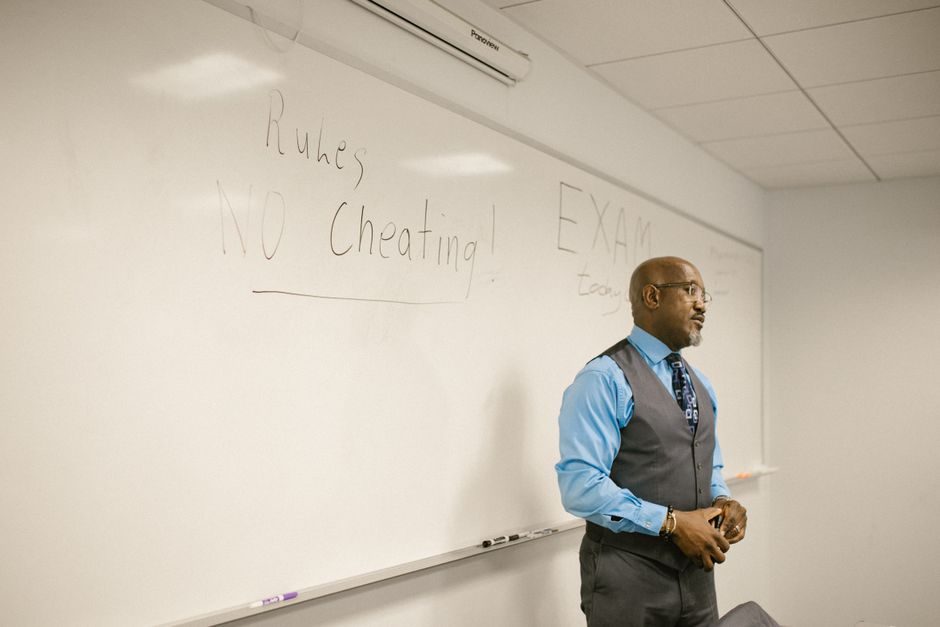
Ethical posting practices
Postings should respect privacy and consent. Do not share information about students without permission, and avoid posting anything that could disclose a learner’s identity. Clear consent ensures everyone feels safe engaging.
- Respect privacy and consent in all postings.
- Keep content focused on educational value.
Be mindful of content relevance. A useful educational advert describes how the posting supports learning or community aims, not personal gain.
Credit sources and avoid misrepresentation. If you reference programs or services, ensure accuracy and truthfulness so learners can trust the information.
- Obtain consent when needed
- Maintain relevant, non-personal content
- Be accurate and honest
Measuring impact of a classified post
Tracking engagement and outcomes
Begin by setting a simple metric such as the number of inquiries or meetings scheduled within a week of posting. This gives a tangible sense of reach without requiring complicated analytics.
Ask learners for feedback on usefulness and clarity. A quick one-minute survey after the first interaction reveals whether the posting matched needs.
Review what worked and what did not, and adjust your description or timing for future posts.
- Count inquiries
- Collect quick feedback
- Refine posting approach
Frequently asked questions
What is a classified post, in simple terms?A short, targeted message that announces an educational opportunity or resource. It describes what is offered, who it helps, how to respond, and when it begins, so learners can decide quickly if it fits their needs.
How can postings best support learners?Clear descriptions help students identify relevant opportunities fast. Including location, dates, and how to respond reduces back-and-forth and saves time for both posters and learners.
What safety practices should I follow?Only share information you’d be comfortable making public. Avoid collecting sensitive data through messages and encourage in-person meetings in safe, public spaces when possible.
How often should posts be refreshed?Refresh postings when there are changes in date, location, or access. Regular updates keep learners informed and prevent outdated details from causing confusion.
Next steps for educators
Begin with one focused post that clearly describes the opportunity and how learners can participate. Use concise language and concrete details to reduce confusion.
Review responses within 48 hours and adjust the post if learners ask common questions or indicate missing information. This tight feedback loop improves future posts and trust.

Add Education News as a preferred source on Google


